Apple Journal vs Five Minute Journal: Features, Privacy & Pricing
What is it actually like to journal with Apple Journal versus Five Minute Journal? We compare real examples, daily routines, and the trade-offs you notice in practice.
4 min read

Apple Journal
vs

Five Minute Journal
Quick verdict
Apple Journal is great for capturing life as it happens. It gives you the freedom to write in your own words, preserve memories, and reflect on everyday experiences. But you’re largely responsible for deciding what to explore and where each reflection takes you.
Five Minute Journal makes gratitude a daily ritual. Its structured morning and evening prompts make it easy to get started and build consistency. If you want more flexibility or deeper exploration, however, a fixed set of questions may not always be enough.
Real Journaling Experience
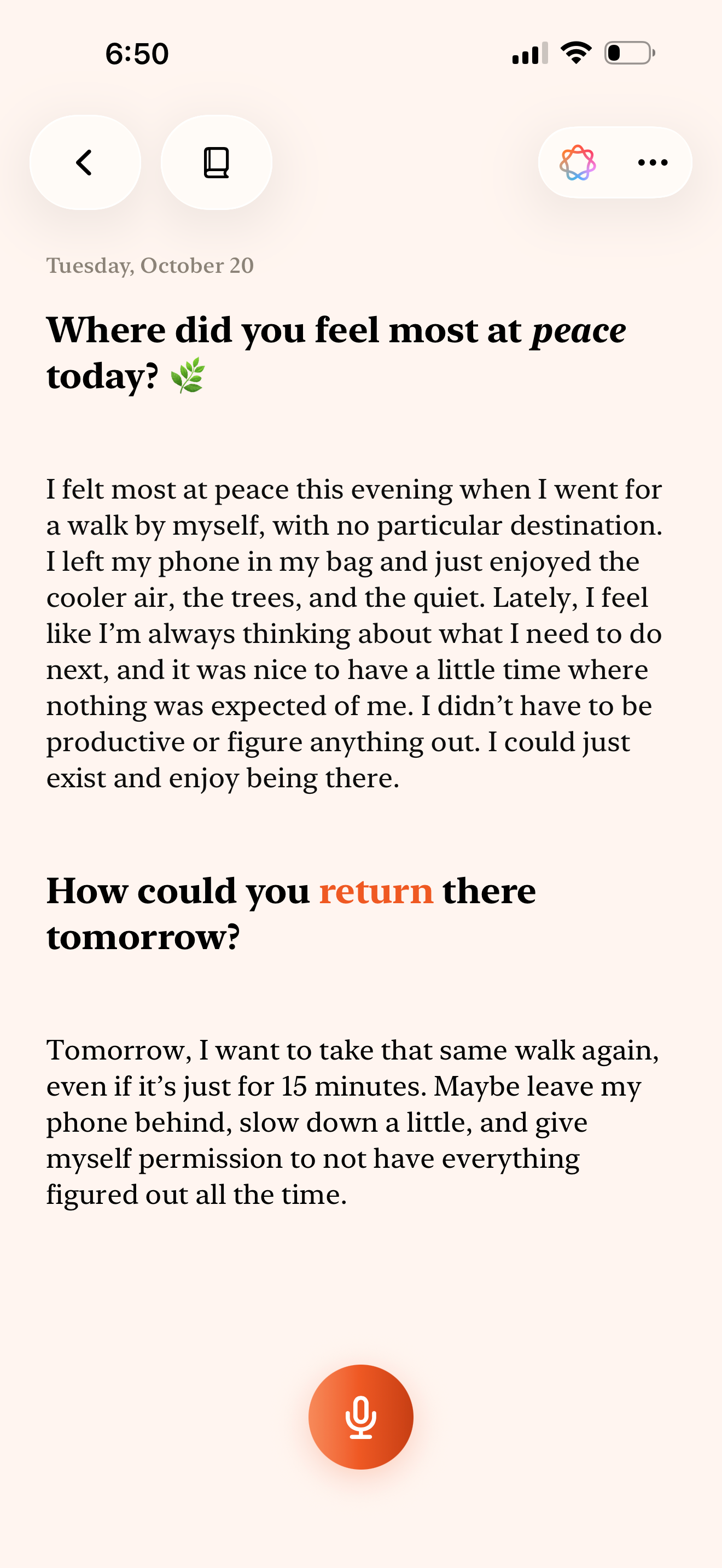
What happens when you reflect on the same everyday moment using different journaling apps? We tried them all: capturing your day freely, following a structured gratitude routine, and exploring the deeper meaning behind a moment.
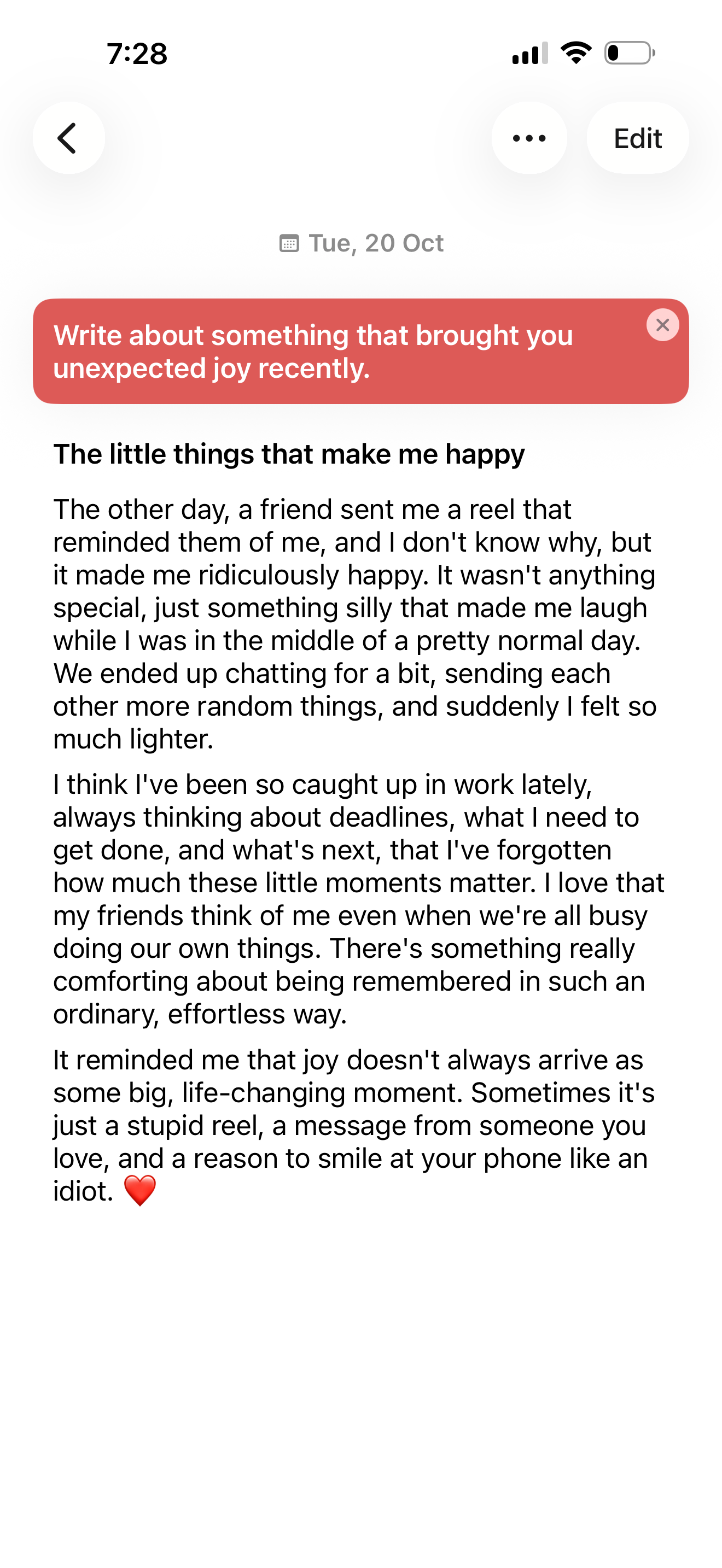
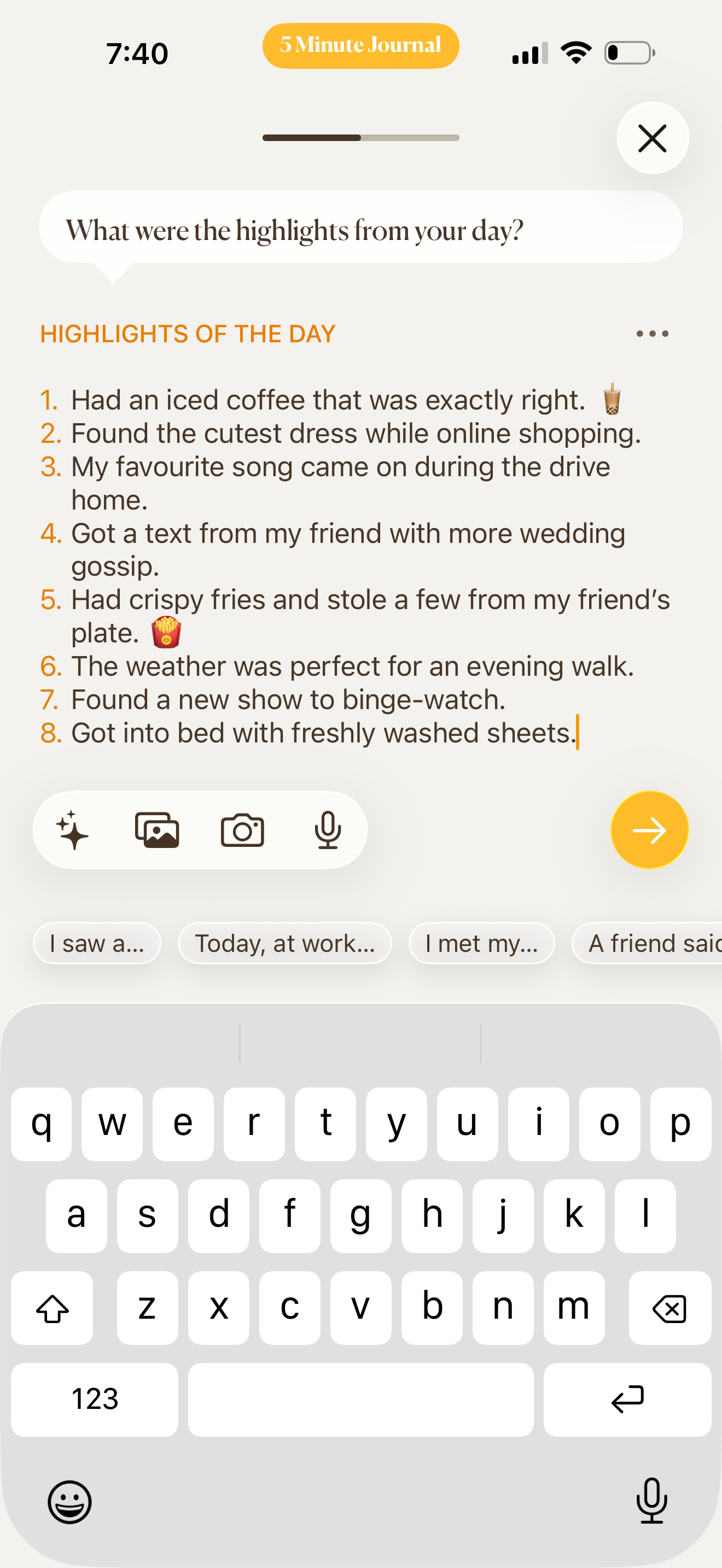
| What matters | Apple Journal | Five Minute Journal |
|---|---|---|
| Writing freedom | Open-ended entries; prompts and suggestions are optional. | Structured morning/evening answers, with a notes area for extra writing. |
| Guided prompts | Open-ended writing with optional journaling suggestions and prompts. | A repeatable gratitude format, daily quotes and weekly challenges. |
| Gratitude routine | Open-ended writing lets you create your own gratitude reflection. | The app is built around recurring gratitude and reflection questions. |
| Media | Photos, audio, location and other attachments are supported. | Photos and other media can be attached to prompts. |
| Search and organisation | Multiple journals and search/filter tools are documented. | On This Day memories and a photo timeline are listed. |
| Supported devices | iPhone. | The App Store lists iPhone, iPad, Mac with Apple silicon, and Apple Watch compatibility. |
| Export options | Export all entries as ZIP; print or save entries as PDF. | The App Store listing says PDF, HTML and Dropbox export are available. |
| Pricing | Free. | Free download with paid in-app plans. |
Privacy and data handling
| Privacy detail | Apple Journal | Five Minute Journal |
|---|---|---|
| Storage | Entries sync through iCloud when enabled; Apple says they are encrypted in transit and while stored in iCloud. | The developer’s app privacy notice says journal content is stored on its servers. |
| Cloud syncing | iCloud sync is optional; entries can sync across the user’s iPhones. | Journaling content is stored in an account-based service. |
| Optional AI processing | Apple Intelligence can offer personalized prompts on supported devices. The Journal settings guide says suggestion data is stored on-device. | Optional AI coaching uses Anthropic after in-app disclosure and explicit consent, according to the developer’s policy; the policy says content is not used for model training. |
Primary sources: Apple Journal backup, export and iCloud details; Five Minute Journal app privacy policy.
For journaling that goes a little deeper
If you’re looking for a journaling experience that helps you move from what happened to why it mattered, discover Ray’s approach to gratitude journaling, and explore the Gratitude Journey.
Ray brings both approaches together, with more room to explore. You can journal freely, use thoughtful prompts when you need a starting point, and follow questions that help you uncover why an experience mattered. Guided gratitude journeys give your practice direction over time, while deeper reflection helps you move beyond simply listing the good things in your day.
The difference is that you don’t have to choose between a blank page and a rigid routine. Ray gives you the freedom to express what’s on your mind, the guidance to explore it further, and the space to discover what your everyday experiences reveal about you.
Frequently asked questions
Which app should I choose: Apple Journal or Five Minute Journal?
Choose Apple Journal if you want to write freely about everyday moments, preserve memories, and decide where each reflection leads. Its prompts are optional, so the entry can take any shape. Choose Five Minute Journal if regular morning and evening prompts make it easier to build a gratitude habit. Its structure creates consistency, while leaving less room to follow an unexpected thought.
How do Apple Journal and Five Minute Journal handle journal privacy?
Apple Journal entries can sync through iCloud when you enable it, and Apple says they are encrypted in transit and while stored. Apple Journal suggestions are processed on-device. Five Minute Journal stores journal content on its servers in an account-based service. Its optional AI coaching sends content to Anthropic after in-app disclosure and consent; the developer says entries are not used to train models.
Can I export entries from Apple Journal and Five Minute Journal?
Apple Journal can export all entries in a ZIP archive, and you can print or save entries as PDF. Five Minute Journal supports PDF and HTML export, as well as Dropbox export. Choose the format that fits how you want to keep or move your writing.
More comparisons:
 Day Onevs
 Ray
- Apple JournalvsRay
 GratitudevsRay
- Five Minute JournalvsRay
 DayliovsRay
 CalmvsRay
- Apple JournalvsDay One
- Five Minute JournalvsGratitude
- Day OnevsDaylio
- Apple JournalvsGratitude
- Apple JournalvsDaylio
- Day OnevsFive Minute Journal
- Day OnevsGratitude
- DayliovsFive Minute Journal
- DayliovsGratitude
- Day OnevsCalm
- Apple JournalvsCalm
- DayliovsCalm
- Five Minute JournalvsCalm
- GratitudevsCalm
For a broader comparison, see all journaling apps compared for 2026.
Continue reading
More from the journal

Is AI Journaling Safe? How Ray Keeps Your Journal Private
Learn how private AI journaling works, how Apple’s on-device models protect your writing, and why your journal doesn't need the cloud.
2 min read

Become Irreplaceable in the Age of AI
As AI reshapes the way we work and live, the most important investment may be in understanding yourself.
9 min read

14 Gratitude Journal Prompts for a Deeper Connection With Yourself
7 min read
Feel more grateful, everyday.
Download Ray and begin your next reflection.