

Choosing a journaling app sounds simple. Find one with good reviews, download it, write a few entries, and build the habit.
Except that is usually not how it works.
The best journaling app is not necessarily the one with the most features. It is the one that fits naturally into your life and makes reflection easier to return to, especially on the days when you do not know what to write.
If you are comparing gratitude and journaling apps, the useful question is not “which one has the longest list.” It is which one matches the kind of attention you want to practice. This guide is that comparison, in nine questions. Ray is one way those answers can look on an iPhone: a prompt, a journey, a place to write, and a way to look back.
The short version: decide the outcome first, then test the app against habit, guidance, privacy, and what it does with a long record. Features that do not serve those four things can wait.
Decide what you actually want from journaling
Start with the outcome, not the app.
Different apps are built around different goals. If you skip this step, you can end up with a beautiful tool for a practice you did not want.
Are you trying to:
- Practice gratitude every day?
- Understand your thoughts and emotions better?
- Become more mindful and present?
- Build a consistent journaling habit?
- Reflect on your day?
- Work through a specific area of your life?
- Have more structure than a traditional blank diary provides?
A mood tracker may be excellent at helping you identify emotional patterns and offer little room for a meaningful paragraph. A traditional digital diary gives you complete freedom and can leave you staring at a blank screen.
If you want a combination of structure and freedom, look for an app that lets you write naturally and still gives you guidance when you need it. That is one of the most important distinctions to make before you choose.
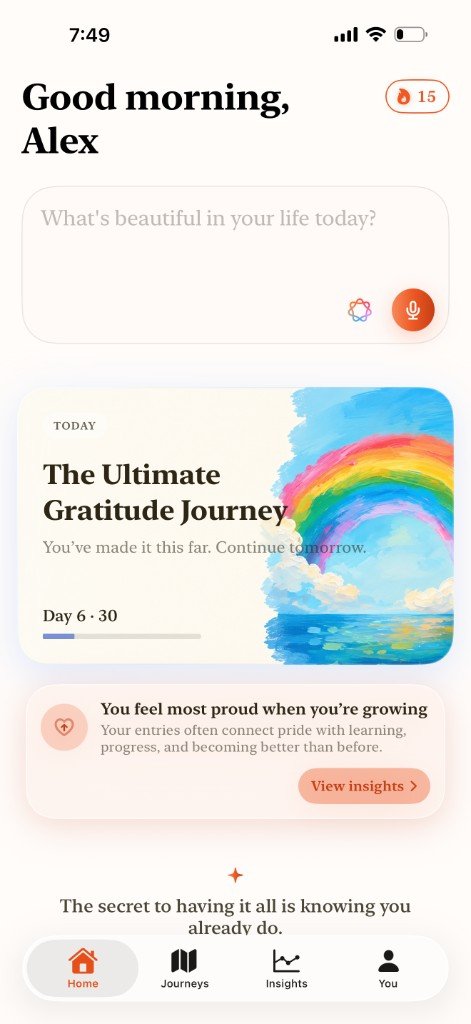
On Ray’s home screen, those are separate doors into the same journal. You can answer the prompt, continue a journey, or follow an insight back into what you already wrote. You do not have to pick a single mode forever. You do have to know which one you came for.
Will I actually use this every day?
A journaling app can be beautiful and still feel like a chore. If you will not open it, the rest of the feature list does not matter.
Look for an experience that makes the smallest version of the habit easy.
- Can you open the app and start writing within seconds?
- Can you write a few sentences, instead of being expected to complete a long exercise?
- Does it help on days when you have nothing specific to say?
The goal is not the perfect journal entry. The goal is a practice you can return to. Five minutes and one honest sentence is a finished session. If the app only feels successful after a long worksheet, ordinary days will lose.
That is the test to run in the first week, before you judge themes, charts, or streaks. If starting feels heavy, a calmer app with fewer ideas will beat a richer one you avoid. For a practice that fits a real day, the five-minute gratitude guide is the companion to this question.
Look for guidance without losing your voice
There is a middle ground between a blank diary and an app that tells you exactly what to write.
Too little guidance sounds like “Dear Diary,” and then you are staring at an empty screen wondering where to begin. Too much guidance makes journaling feel like homework.
A good journaling app gives you a gentle starting point without taking over the reflection. Look for:
- Thoughtful prompts
- Guided reflection
- Gratitude exercises
- Different reflection modes
- A suggestion when you are stuck
- The ability to ignore the prompt and simply write
The best guidance gets you started. It does not write the experience for you.
Ray’s questions work that way. One day the question can be gratitude. Another day it can be a person, a small goal, or something you do not want to forget. Free writing is still available when you already know what to say. A prompt is a door, not a form.
Consider whether you want more than daily entries
Journaling does not have to mean writing about whatever happened today.
Sometimes you want to explore a particular part of your life. That is where guided journeys are useful. Instead of opening an app and choosing a random prompt, a journey takes you through a sequence of reflections around a larger theme: gratitude, rebuilding something, a quieter mind, growth.
If structured personal growth appeals to you, look for an app that offers progressive journeys rather than an endless collection of disconnected prompts. The sequence matters. A prompt can start one evening. A journey gives the next few evenings a thread, including the day you do not feel like inventing the question yourself.
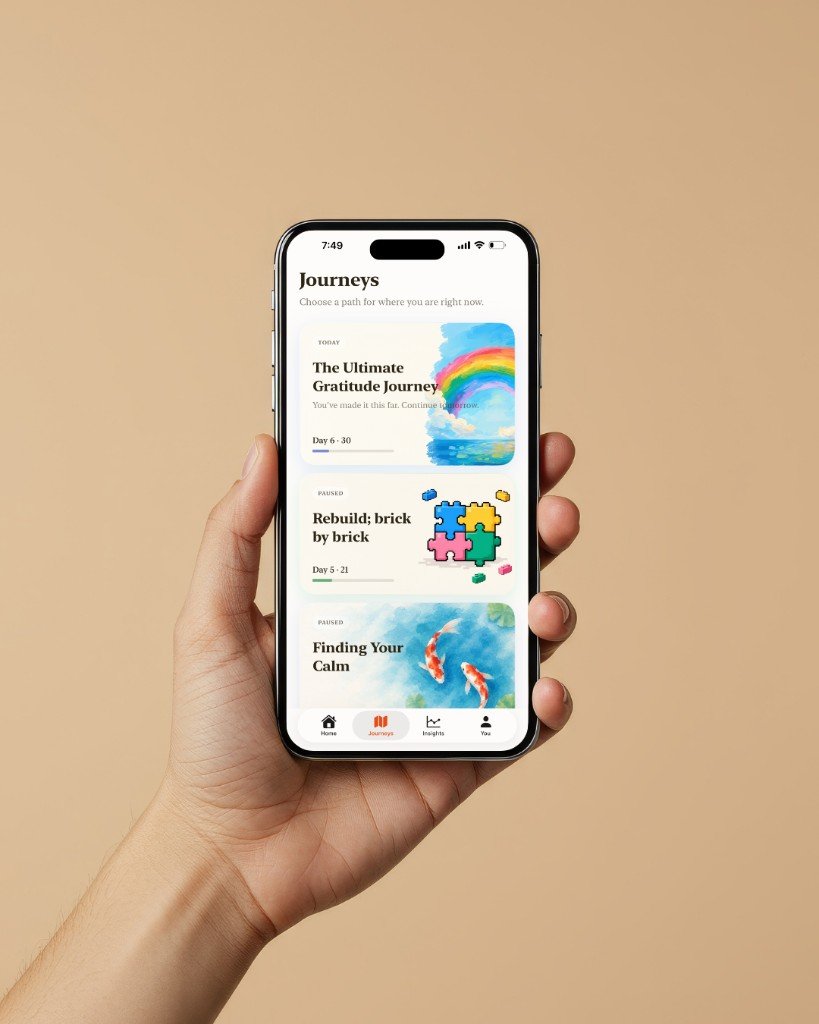
In Ray, a journey is that path. You might be on day 6 of a gratitude journey and still have a calmer path or a rebuilding path waiting. Miss a day, and the next day is still there. The journeys library is the longer version of this idea, and the seven-day gratitude journey is a short one to read before you commit to a month.
Think about privacy before you start
Your journal can contain some of the most personal things you write anywhere. Privacy is part of the product, not a footnote.
Before you choose an app, understand:
- Where your entries are stored
- Whether your data leaves your device
- Whether your entries are used to train models
- Whether the app requires an account
- What happens to your data if you stop using the app
Those answers differ more than the marketing screenshots do. An app that sends every entry to a remote server, and an app that keeps the writing closer to you, are not offering the same kind of journal. Read the policy before the first honest paragraph, not after a year of them.
Ray is designed so the writing stays personal. On supported iPhones, Apple Intelligence helps with prompts and insights. Your journal is not published, sold, or used to train public AI models. Depending on the version of the app and the features you use, entries may be stored on your device, in an account-backed store, or both. The privacy policy is the specific version of those five questions for Ray.
Decide whether you want AI involved
“AI-powered” can mean very different products.
Some apps use AI to generate prompts. Others analyze your entries, summarize your writing, identify themes, or start a conversation about what you wrote. That can be useful. It can also turn the journal into a chat you are maintaining.
Ask what role you actually want technology to play.
Do you want an AI chatbot to talk with? Or do you want to write privately and have technology quietly help you reflect on what you have already written?
Those are different experiences. For many people, journaling works best when the primary activity remains their own reflection, not an ongoing conversation with a chatbot.
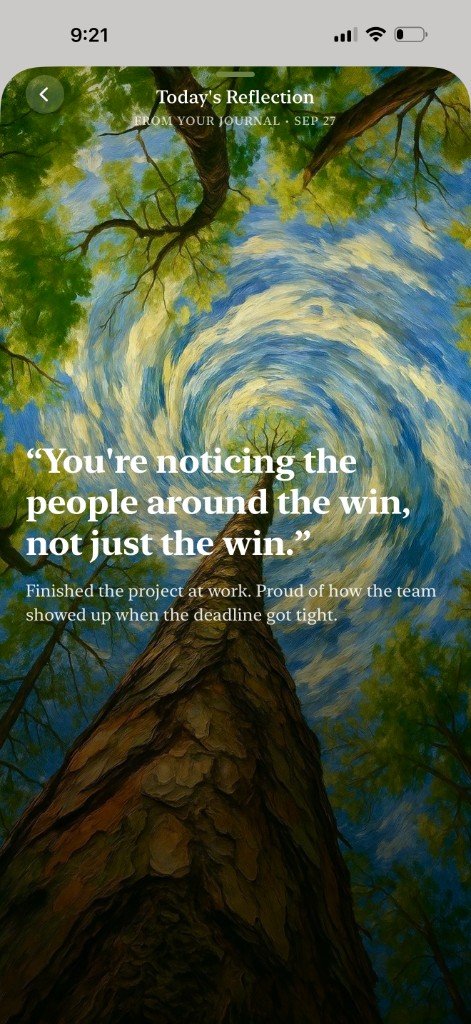
Ray uses Apple Intelligence, on supported iPhones, to suggest a prompt or surface a pattern. It does not replace the words in the journal, and it is not a chat you have to keep going. An insight is only useful if you recognize it as something you actually wrote. Read more about that boundary on the insights page.
Don’t underestimate simplicity
More features do not automatically create a better journaling experience.
A useful app makes the important things obvious:
Open, reflect, write, return tomorrow.
If you have to pass through five screens before you can start writing, that friction becomes part of the habit. Look for a clean writing experience, a fast start, simple navigation, few distractions, easy access to past entries, and a clear reason to come back. The app should disappear into the practice rather than become the practice.
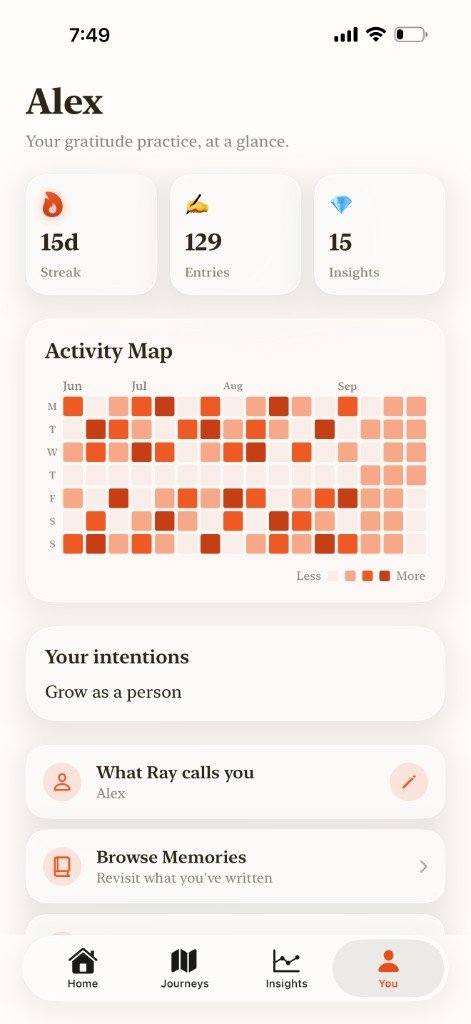
Simplicity is also what makes a missed day recoverable. A journal that scolds you for an ordinary week trains you to avoid it. Come back on Thursday. Write about Thursday. The journaling page describes that rhythm without adding a second system you have to maintain.
Look at what happens after you have hundreds of entries
The value of journaling is not only in today’s entry. Over time, the journal becomes a record of your life.
That is where insights, themes, memories, and summaries become useful. Instead of simply storing hundreds of notes, a good journaling app helps you notice:
- What you repeatedly appreciate
- Which themes appear in your writing
- Which parts of life matter most to you
- How your reflections change over time
- Memories you might otherwise forget
This turns journaling from a collection of isolated entries into something you can learn from. You might see that home keeps showing up, that certain people carry the grateful entries, or that what you protect in the morning is not what you thought you were writing about.
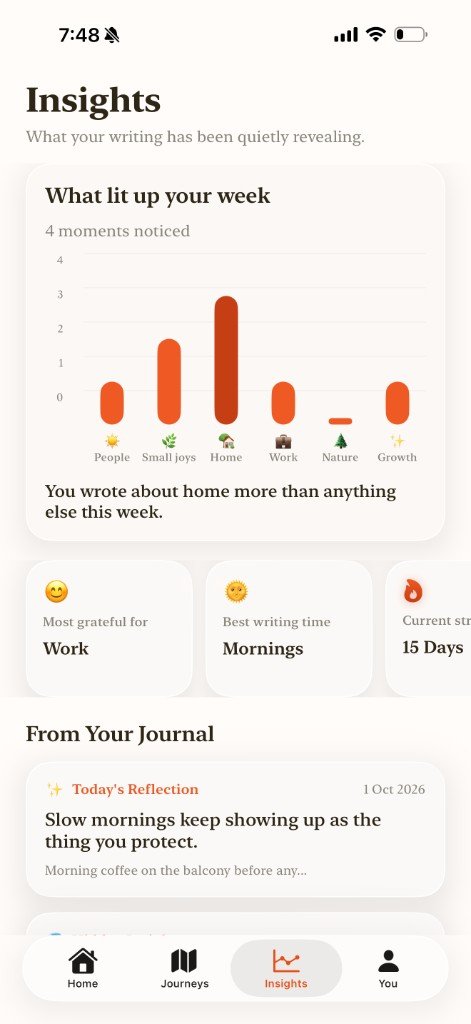
Ray’s insights are that glance: a pattern from what you wrote, not a score of how grateful you are. The longer you write, the more there is to notice. The entries still have to be yours first. A chart of an empty journal has nothing to say.
Use this simple decision framework
If you are comparing several journaling apps, ask these seven questions. Score the fit, not the feature count.
| What matters | Look for |
|---|---|
| Habit | A low-friction daily experience you will actually open |
| Guidance | Prompts and exercises you can also ignore |
| Gratitude | Dedicated gratitude practice, not only a blank diary |
| Growth | Structured journeys and themes, when you want more than one entry |
| Privacy | Clear data practices, and a journal that is not used to train public models |
| Reflection | Insights and patterns that still sound like what you wrote |
| Simplicity | An experience that does not feel like work |
The app that scores highest is not necessarily the one with the longest feature list. It is the one that matches the kind of reflection you want to practice.
If that shape is a prompt when you are stuck, a journey when you want a thread, and a private record you can look back on, Ray is built for it. If you want a mood score, a public feed, or a chatbot as the main activity, this is the wrong tool, and the framework above should send you somewhere else.
Your next step
Pick the outcome you actually want from the next month of writing. Then open one app and try the smallest version of it: a few sentences, on a day when you are not inspired.
If you want the writing practice itself, start with how to start a gratitude journal or the shorter five-minute version. If you want prompts and guided journeys on the phone you already carry, read The Modern Gratitude Journal. If you are comparing specific products — Day One, Apple Journal, Daylio, Ray, and the rest — the best journaling apps in 2026 guide is the landscape version of this framework. If you already know the habit and you are choosing the tool, use the table above before you compare another feature list.
FAQs
How do I choose a gratitude or journaling app?
Start with the kind of reflection you want, then ask whether you will actually open the app on a busy day. Look for light guidance, a way to go deeper than a single prompt, a clear privacy model, and something useful to see after you have written for a while. Use the decision framework when you are comparing more than one app. If the job is noticing what mattered, Ray is built for that.
What is the difference between a gratitude app and a regular journal?
A regular journal can hold anything that happened. A gratitude app points attention toward what you appreciate, often with prompts or short exercises. The useful versions still leave room for a hard day, a specific memory, and your own words. Ray is a gratitude journal in that broader sense: notice what mattered, including on days that were mixed.
What should I look for if I want to journal every day?
Look for a low-friction start. You should be able to open the app and write a few sentences, including on days when you have nothing particular to say. A practice you can return to matters more than a long exercise you finish once. Ray is designed so that opening it and writing a few sentences is the whole start.
Are journaling apps private?
It depends on the app. Before you write anything personal, check where entries are stored, whether they leave the device, whether they are used to train models, whether an account is required, and what happens to the data if you stop. Ray does not publish your journal, sell it, or use it to train public AI models. The details of storage are in the privacy policy.
Should I use a journaling app with AI?
Only if you know what the AI is doing. Some apps chat with you. Others suggest a prompt or return a pattern from what you already wrote. For many people, journaling works better when the main activity is still their own reflection. On supported iPhones, Ray uses Apple Intelligence for prompts and insights. It does not replace the entry.
What is a guided journaling journey?
Do more features make a journaling app better?
No. Extra screens between you and the page become part of the habit. A useful app makes the path obvious: open, reflect, write, and come back tomorrow. That is the path Ray is built around.
Continue reading
More from the journal

Is AI Journaling Safe? How Ray Keeps Your Journal Private
Learn how private AI journaling works, how Apple’s on-device models protect your writing, and why your journal doesn't need the cloud.
2 min read

Become Irreplaceable in the Age of AI
As AI reshapes the way we work and live, the most important investment may be in understanding yourself.
9 min read

14 Gratitude Journal Prompts for a Deeper Connection With Yourself
7 min read
Feel more grateful, everyday.
Download Ray and begin your next reflection.